"
"
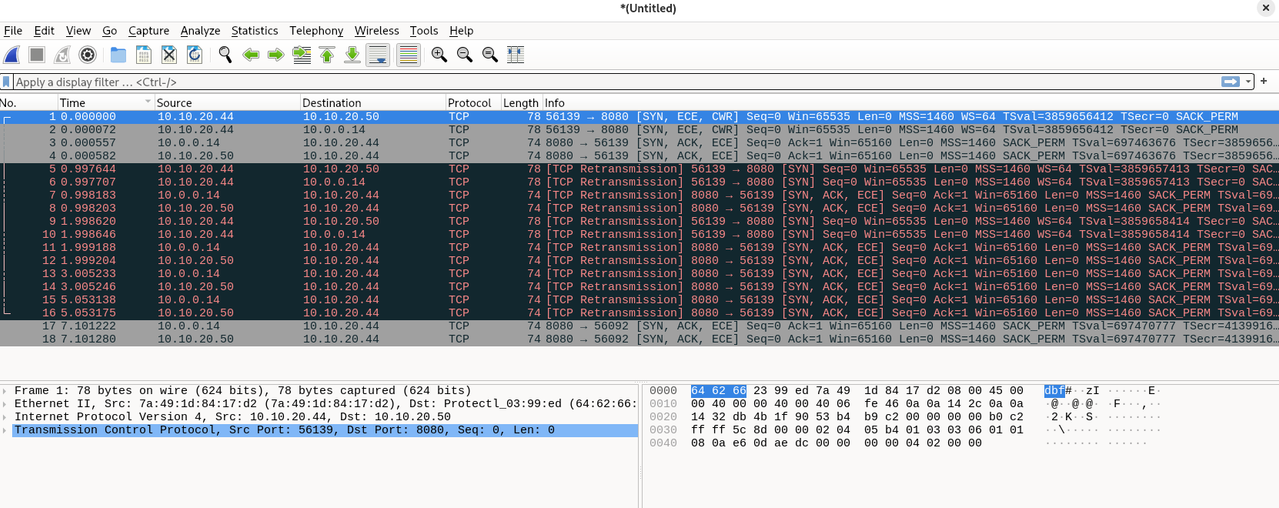
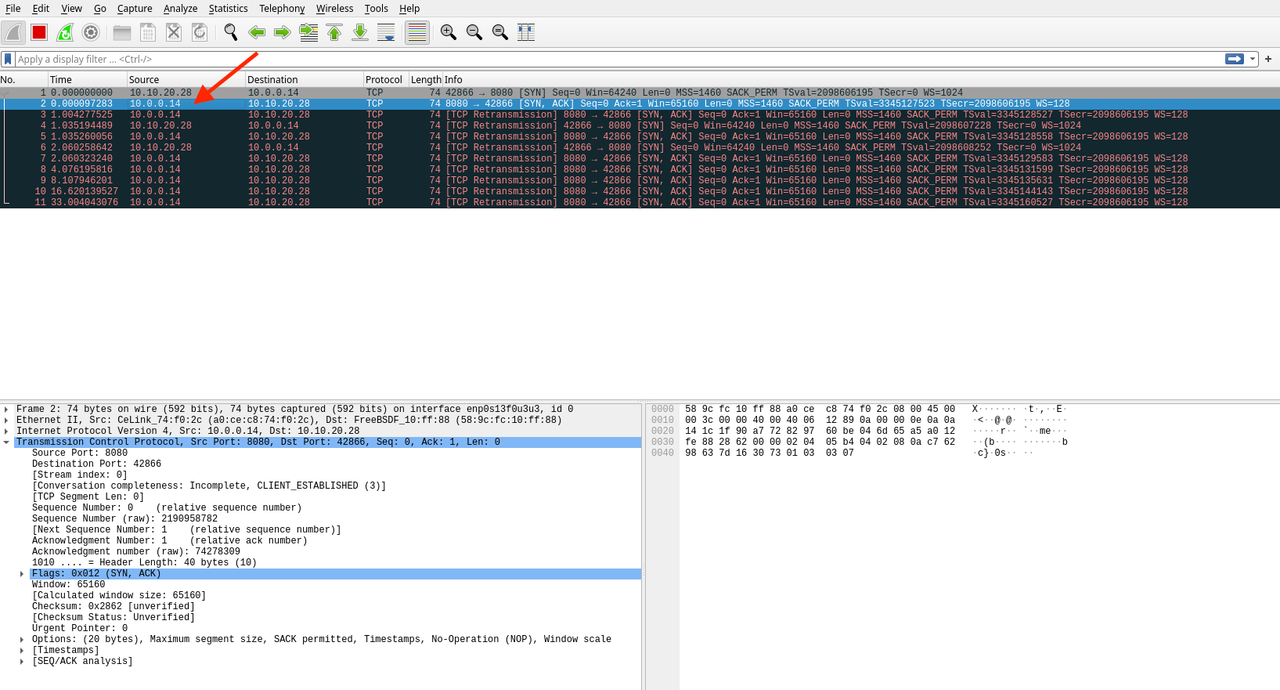
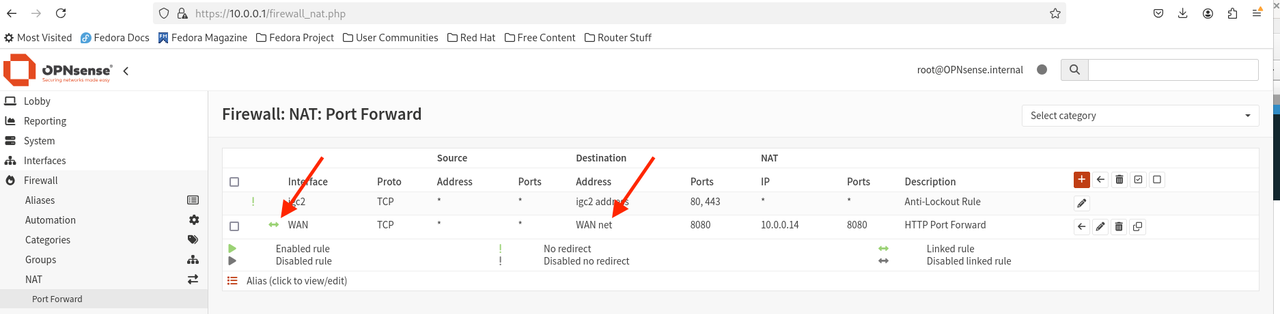
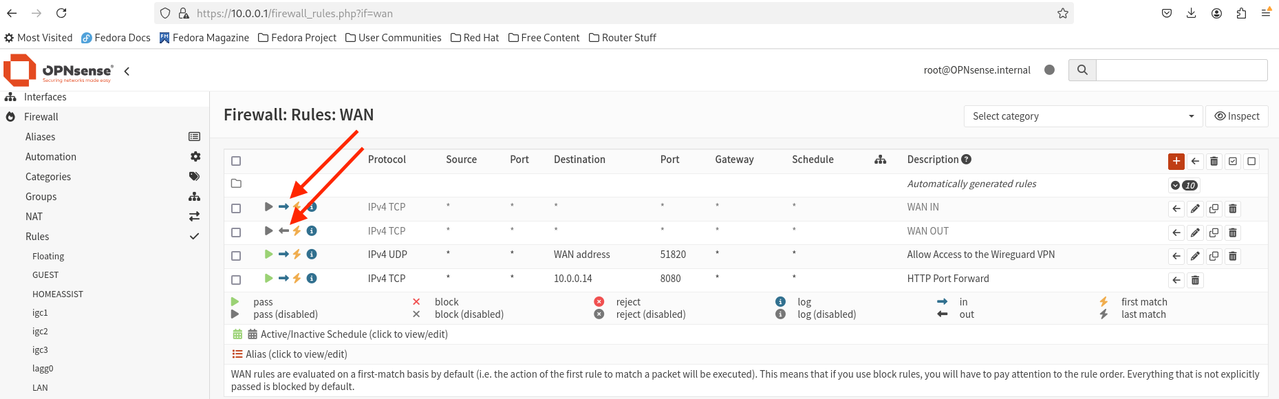
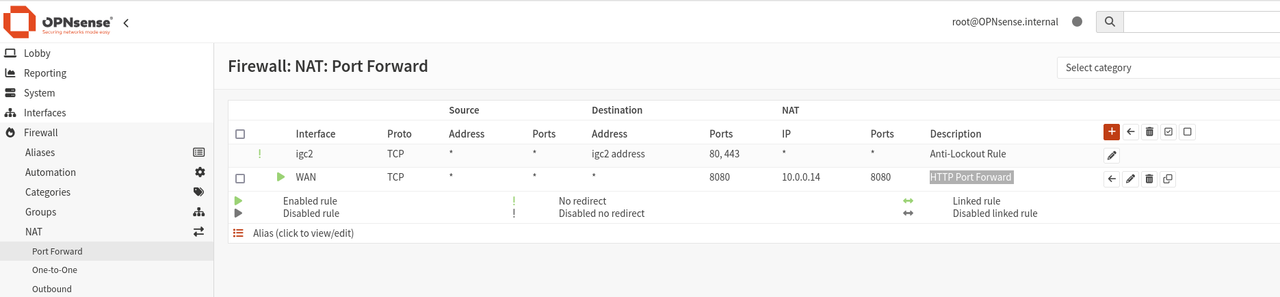
The solution to this problem was to disable reply-to on the firewall. The final NAT configuration is shown below.
Why did I need to disable reply-to?
I'm not entirely certain, but I believe it's because I'm using a bridge. When I reviewed the reply-to documentation, I understood that reply-to is typically necessary if you have multiple WAN ports configured in a bridge. My setup is actually the reverse: I have a single WAN port and multiple internal ports combined into one bridge (five, to be exact). There are also several VLANs layered on top of this internal bridge, which spans all the ports.
How did I find the solution?
I fiddled with " Filter rule association" and noticed that setting it to "Pass" solved the problem. A bit of googling after that led me to the reply-to setting and the final solution.
Other Benefits:
Setting the reply-to option also resolved a handshake issue I was experiencing with WireGuard, where clients would connect but never complete the handshake. WireGuard is MUCH more difficult to debug than HTTP because it generates very few logs. By setting up a simple Python HTTP server, I was able to conduct more controlled tests. I hoped that resolving the port forwarding problem would also help me find a solution for WireGuard, and I was correct.
Thanks community!
Final NAT configuration:

Why did I need to disable reply-to?
I'm not entirely certain, but I believe it's because I'm using a bridge. When I reviewed the reply-to documentation, I understood that reply-to is typically necessary if you have multiple WAN ports configured in a bridge. My setup is actually the reverse: I have a single WAN port and multiple internal ports combined into one bridge (five, to be exact). There are also several VLANs layered on top of this internal bridge, which spans all the ports.
How did I find the solution?
I fiddled with " Filter rule association" and noticed that setting it to "Pass" solved the problem. A bit of googling after that led me to the reply-to setting and the final solution.
Other Benefits:
Setting the reply-to option also resolved a handshake issue I was experiencing with WireGuard, where clients would connect but never complete the handshake. WireGuard is MUCH more difficult to debug than HTTP because it generates very few logs. By setting up a simple Python HTTP server, I was able to conduct more controlled tests. I hoped that resolving the port forwarding problem would also help me find a solution for WireGuard, and I was correct.
Thanks community!
Final NAT configuration:
- IMPORTANT: In an earlier image I had both the WAN and MGMT networks configured as interfaces. Do NOT do this as the NAT will get confused if you want to make an outgoing HTTP request on the SAME port as configured the FW is configured to redirect to. IOW this will fail if issued from the HTTP server (i.e. 10.0.0.14 in my case): curl http://<any host anywhere>:8080