Menu

Show posts

This section allows you to view all posts made by this member. Note that you can only see posts made in areas you currently have access to.

Show posts Menu

Messages - Ren

#31
I ended up installing in SAFE mode which worked fine. Now i'm running into weird delays when the system is booting. Takes 3+ minutes to boot in UEFI mode but in MBR less than a minute. Currently looking to boot in verbose mode and pulling back system log
#32
Quote from: Stefan on December 04, 2017, 11:58:22 PM
amd64? I'm having similar problems with the 17.7.5-amd64 distribution.
yes
#33
17.7 Legacy Series / UEFI Installation on ASROCK J3455M
December 04, 2017, 11:22:35 PM
I currently cannot get OPNSENSE installed in UEFI mode on my ASROCK J3455M motherboard. Installation is extremely slow (4HRS so far)  then gets stuck at 67%.

I see HPET bug when installing pfsense which i didn't experience  https://www.reddit.com/r/PFSENSE/comments/7eeh70/asrock_j3455m_problems/#bottom-comments

Installing via MBR works just fine (may be 5mins if not less) but this is just work around for now until i can finish configuring the firewall.

Any suggestions on resolving my UEFI installation issue ?
#34
I'm currently running into issues configuring CLAMAV + Web Proxy to inspect HTTPS traffic. Each time i enable the functionality all websites except for google fail to load as the connection to each site times out.

Firewall Rule for HTTPS set

LAN TCP LAN net * * 80 (HTTP) 127.0.0.1 3128 redirect traffic to proxy    
LAN TCP LAN net * * 443 (HTTPS) 127.0.0.1 3129 redirect traffic to proxy


I do not see any errors in the access logs nor cache
192.168.5.127 - 54:60:********** - [02/Dec/2017:13:27:22 -0500] "HEAD http://clients1.google.com/generate_204 HTTP/1.1" 204 228 "-" "-" TCP_MISS:ORIGINAL_DST
192.168.5.121 - 1c:1b********** - [02/Dec/2017:13:26:40 -0500] "GET http://twitch.tv/ HTTP/1.1" 302 474 "-" "Mozilla/5.0 (Windows NT 10.0; Win64; x64) AppleWebKit/537.36 (KHTML, like Gecko) Chrome/62.0.3202.94 Safari/537.36" TCP_MISS:ORIGINAL_DST
192.168.5.121 - 1c:1b********** - [02/Dec/2017:13:25:39 -0500] "GET http://cdn.content.prod.cms.msn.com/singletile/summary/alias/experiencebyname/today? HTTP/1.1" 200 1724 "-" "Microsoft-WNS/10.0" TCP_REFRESH_MODIFIED:ORIGINAL_DST
192.168.5.127 - 54:60:********** - [02/Dec/2017:13:24:08 -0500] "HEAD http://clients1.google.com/generate_204 HTTP/1.1" 204 228 "-" "-" TCP_MISS:ORIGINAL_DST
192.168.5.127 - 54:60:********** - [02/Dec/2017:13:23:31 -0500] "HEAD http://clients1.google.com/generate_204 HTTP/1.1" 204 228 "-" "-" TCP_MISS:ORIGINAL_DST


The system log is complaining there isnt a valid cert for  traffic on port 3128. Even though SSL traffic is on port 3129 (im using a valid letsencrypt cert for SSL)

Dec 2 13:22:57 squid: No valid signing SSL certificate configured for HTTP_port 127.0.0.1:3128
Dec 2 13:21:16 squid: No valid signing SSL certificate configured for HTTP_port 127.0.0.1:3128


What am i missing ?
#35
Quote from: franco on December 02, 2017, 03:47:50 PM
Hi Ren,

The binaries were checked into the core repository, but we found that too taxing on the coding/build side. Then these were quickly outdated and at some point we had to ask the question: who is going to maintain them? No maintainer was found, so we removed them instead of going though the process of writing a "download and integrate" script for the latest binaries that could have been the way to keep the binaries alive and up to date.


Cheers,
Franco

Ok thanks for the info.
#36
Hey Guys,

Is there a reason the OpenVPN Client Export is missing the Windows Installer ? I see in 16.7.2 the oudated binaries were removed but the current version was never re-added
#37
Quote from: interfaSys on November 24, 2017, 01:37:56 PM
Quote from: Ren on November 20, 2017, 08:31:24 PM
I'm running the same system with 4GB of ram and did not experience any reboots.

Which BIOS are you running?

The latest BIOS which is Version 2K170307
Link https://www.zotac.com/us/files/download/by_product?p_nid=501278&driver_type=238&os=All
#38
Quote from: bulmaro on November 21, 2017, 06:15:56 PM
I am in need of configuring LetsEncrypt, I do not have much knowledge on the subject. I currently have the ddns with noip.com, someone can help me with the steps to configure my https.

I appreciate the attention.

I'm not familiar with the no-ip DDNS service but hopefully i can assist a little. What have you configured so far ?

#39
Quote from: interfaSys on November 17, 2017, 11:19:42 PM
Unusable when Suricata in IPS mode (+ promiscuous) is enabled on VLANs. This is on a Zotac CI323 with Realtek chips.
Endless reboots until Suricata is turned off.

Couldn't find anything in dmesg, so it seems to be a different issue than the kernel crashes that used to happen.

On a more positive note, FreeBSD 11.1 seems to boot normally on that hardware. It used to be that the card reader would hang the boot process for 1-2 minutes.


I'm running the same system with 4GB of ram and did not experience any reboots. However my WAN connection speed dropped to 20Mbps from 70Mbps. If i remove my VLAN, and OPENVPN interfaces from the HOME NETWORK tab (only LAN defined) in SURICATA my connection speeds jumps up to 50Mbps. What is the expected performance hit when running Suricata ?
#40
18.1 Legacy Series / Re: 18.1 development milestones
November 07, 2017, 04:42:29 AM
Up for 7 days no issues other than a few user errors which required a reboot. Currently running one VLAN for guest wireless access (GUESTNET) for UBNT access point. Currently in the process of configuring a couple plugins, specifically the antivirus for HTTP and HTTPS traffic using letsencrypt cert


Oooo the only error i saw in the logs is the error listed below

kernel: module_register_init: MOD_LOAD (vesa, 0xffffffff810a67e0, 0) error 19

Which seems to be a bug with the video driver which i honestly kinda don't care about

https://bugs.freebsd.org/bugzilla/show_bug.cgi?id=213045


Device Model Running OPNSENSE:  ZOTAC ZBOX CI323

#41
Quote from: franco on October 31, 2017, 09:11:34 AM
Hi,

Thanks for this, but this is far better suited for GitHub: https://github.com/opnsense/core/issues

From experience we did this in another fork a few years back, but it requires touching every static .php page that there is, something we'd rather not do anymore. The MVC dialogs and forms can do this already and we'd rather migrate the static .php pages to MVC than improve them one by one over and over again.

In MVC terms it means we only have to add something once, not currently 150 times each, because that is how many static pages we still have.


Cheers,
Franco

Ok thanks for info
#42
Thank you. That actually helped. On the duckdns API line i had to format the data like the below

https://www.duckdns.org/update?domains=$DOMAIN&token=$TOKENHERE&ip=
#43
Ok in most fields i do not know what info is needed as i've never setup LetsEncrypt certificate Below is current configuration

Under Accounts
NAME: dnyamic dns name
Email: email account associated with duckdns account

Under Validation Methods
Name: Duckdns
Description: DuckDNS Validation
Challenge Type DNS-01
DNS Service: DuckDNS API
Sleep Time: 120
API Token: MY DUCKDNS TOKEN


Under Certificates
Common Name: dynamic dns name
Description: Home
Alt Name:
LE Account: Account Above
Validation Methon: Validation Above

Currently im unable to generate a certificate for my dynamic dns account as im running into validation error when requesting a certificate.

[Mon Oct 30 10:49:57 EDT 2017] Please check log file for more details: /var/log/acme.sh.log
[Mon Oct 30 10:49:57 EDT 2017] _on_issue_err
[Mon Oct 30 10:49:57 EDT 2017] skip dns.
[Mon Oct 30 10:49:57 EDT 2017] _clearupdns
[Mon Oct 30 10:49:57 EDT 2017] No need to restore nginx, skip.
[Mon Oct 30 10:49:57 EDT 2017] pid
[Mon Oct 30 10:49:57 EDT 2017] Create domain key error.


The private key and conf were created in /var/etc/acme-client/home/$DOMAIN_NAME_HERE but i wasn't issued a cert
#44
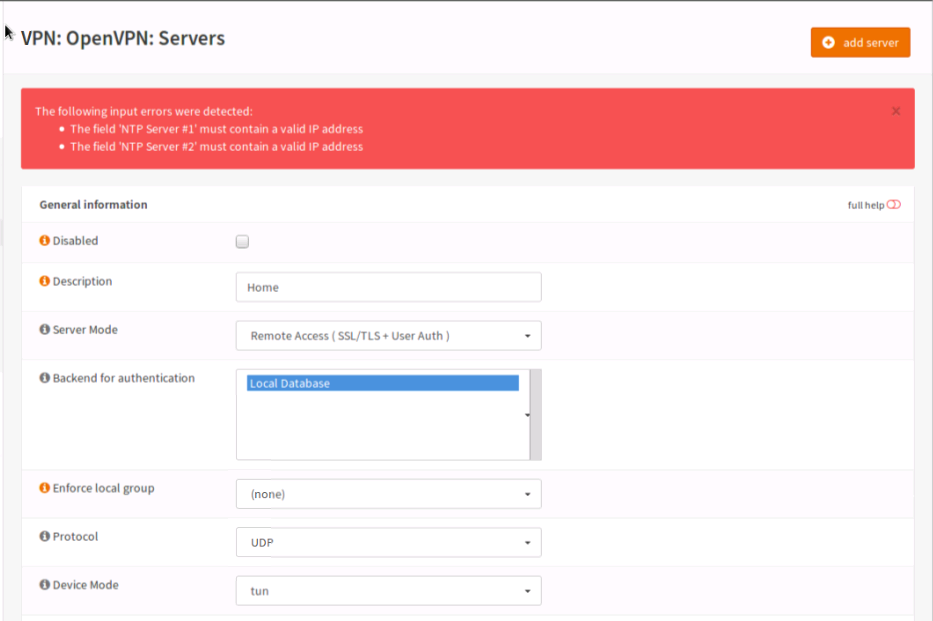
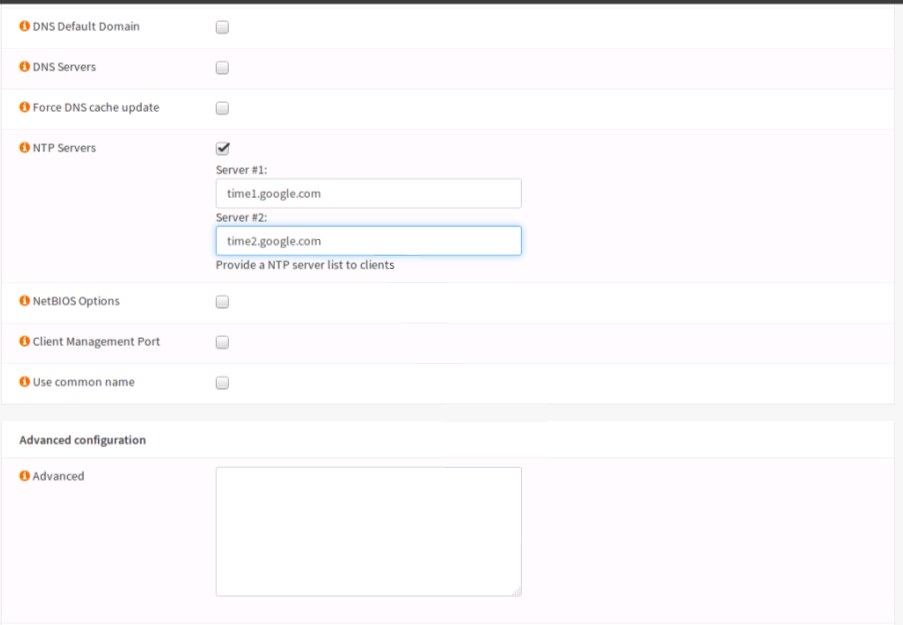
I tried configuring my OPENVPN server  to use google as a time server.


I then saved my settings and briefly an error message flashed on screen (too fast for me to read) and returned me to above screen. I then i had to scroll to top of the page to see the error message.


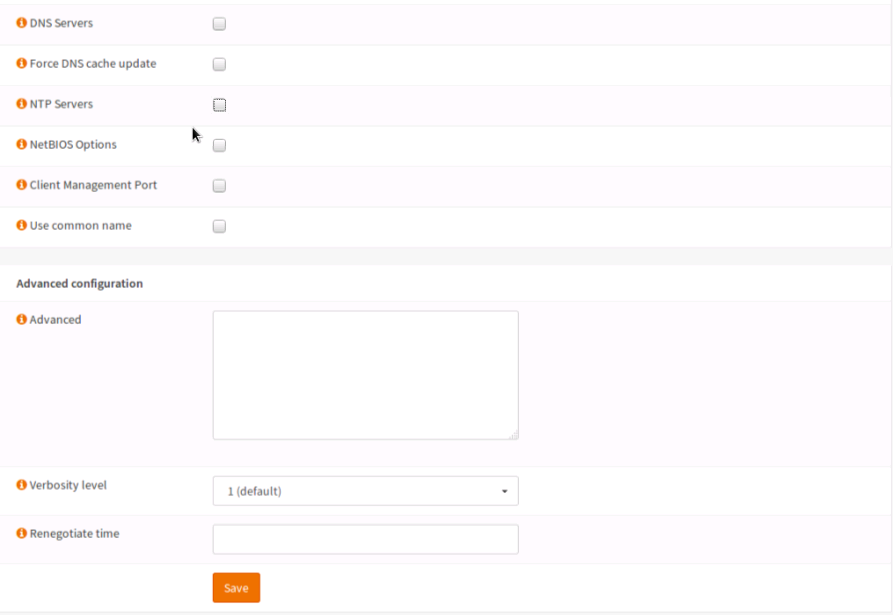
So i decided not to use a time server as i was just testing a few things. I unchecked the option and again an error message flashed on screen. It was the same error message " NTP Server must contain a valid IP"
So it seems once i've enabled an option i have to fill it with the required/valid data before i'm able to disable it even though the settings did not save (i made other changes at the time so i didn't want to cancel my other changes). Additionally,  field contains invalid data the error message that is displayed when attempting to save the current settings flashes too quickly. Can the error message be displayed for longer or until the user tries to edit a field on the page ?
#45
17.7 Legacy Series / System Wizard Password Error
October 30, 2017, 06:56:01 PM
Hey Guys,

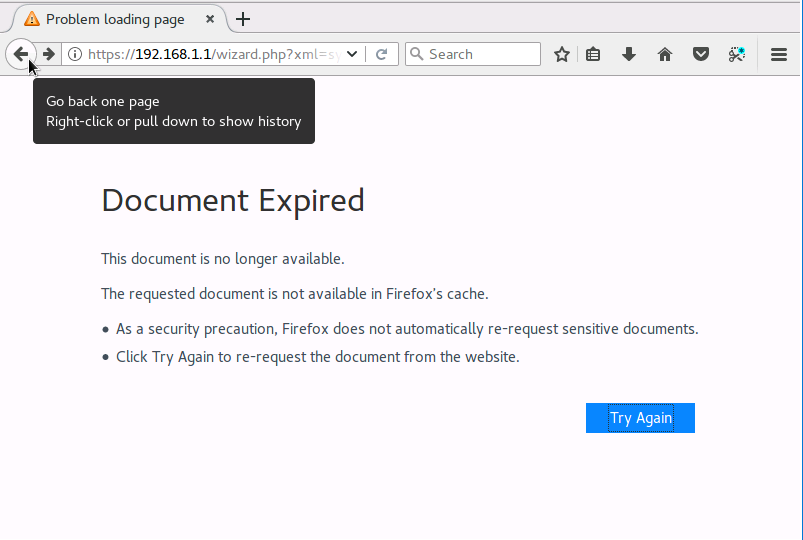
Earlier i tried completing the System Wizard and got an error when i choose to use my current password for the Admin WebUI

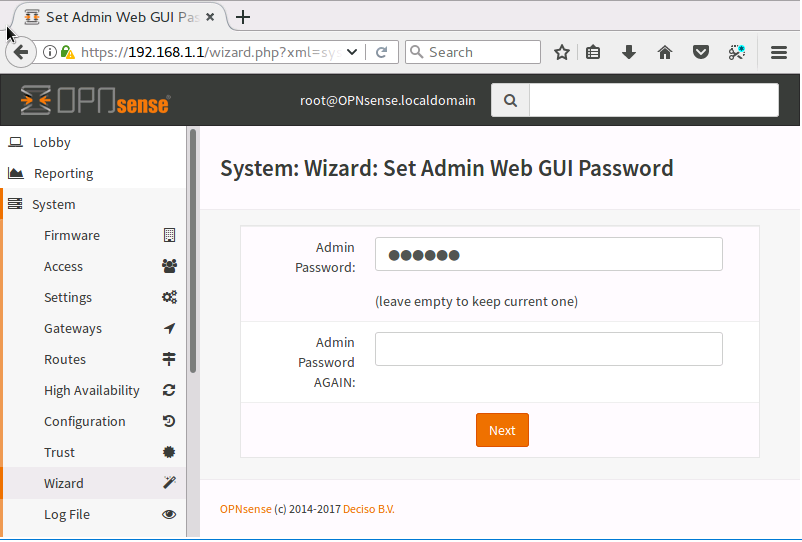
At System: Wizard: Set Admin Web GUI Password screen i decided to use my current not knowing i needed to type my current password again. I thought "(leave empty to keep current one)" applied to then "admin password again" field


Anyway i hit next  and was presented with the below error page.


I refreshed the screen several times and that did nothing. After hitting the BACK button a couple times i was able to get to a previous point in the wizard. Can a validation be added that both fields be filled out before going forward ? Because i was the dumbass that went forward without filling out the required fields.